
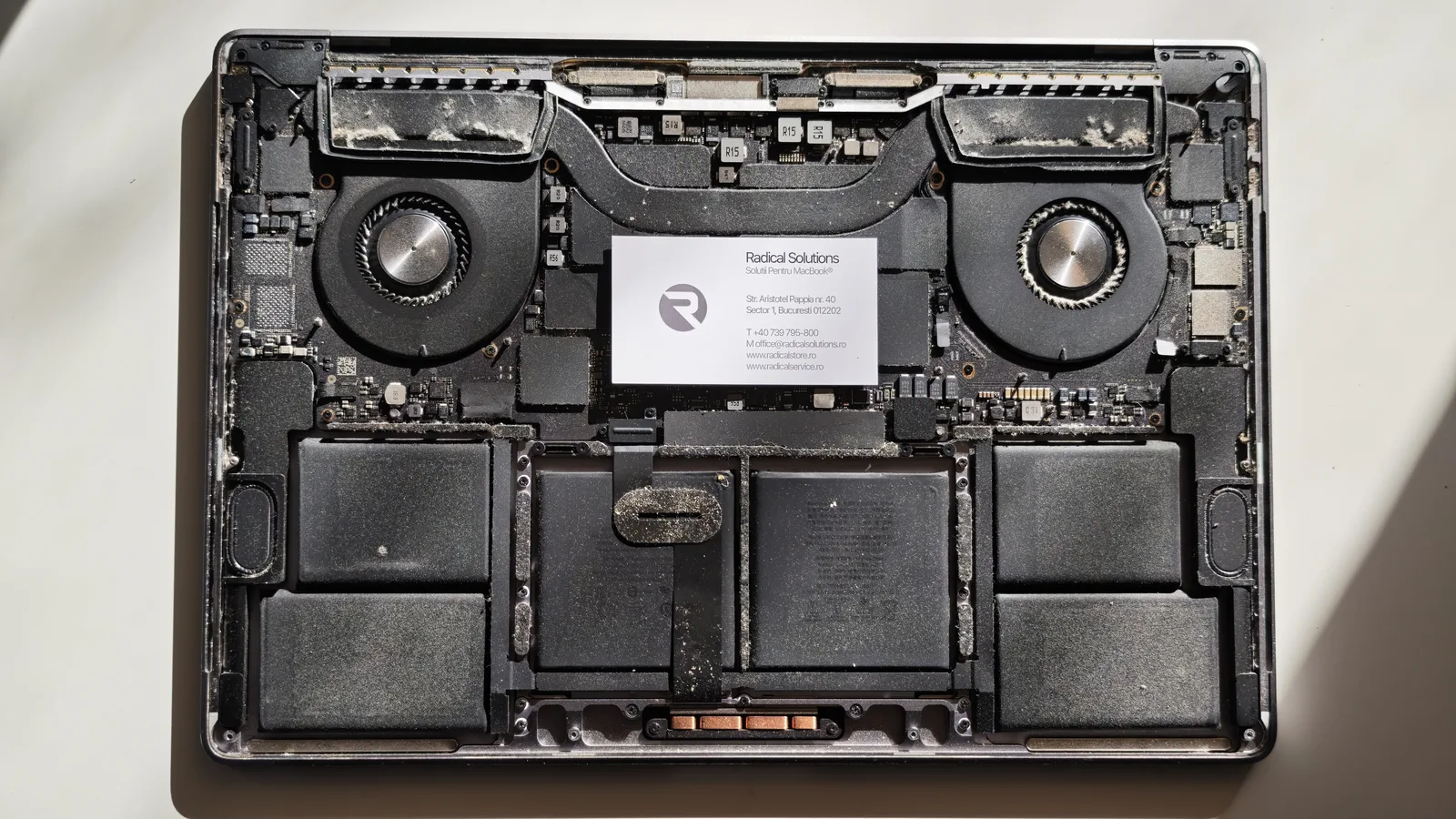
The first culprit: years of dust
The laptop had never been to a repair shop for cleaning. When we opened it, the fans had lint caught between the blades and the heatsinks were covered in a thick layer of dust. Besides making the laptop run hotter, dust has a less visible problem: it holds on to moisture.
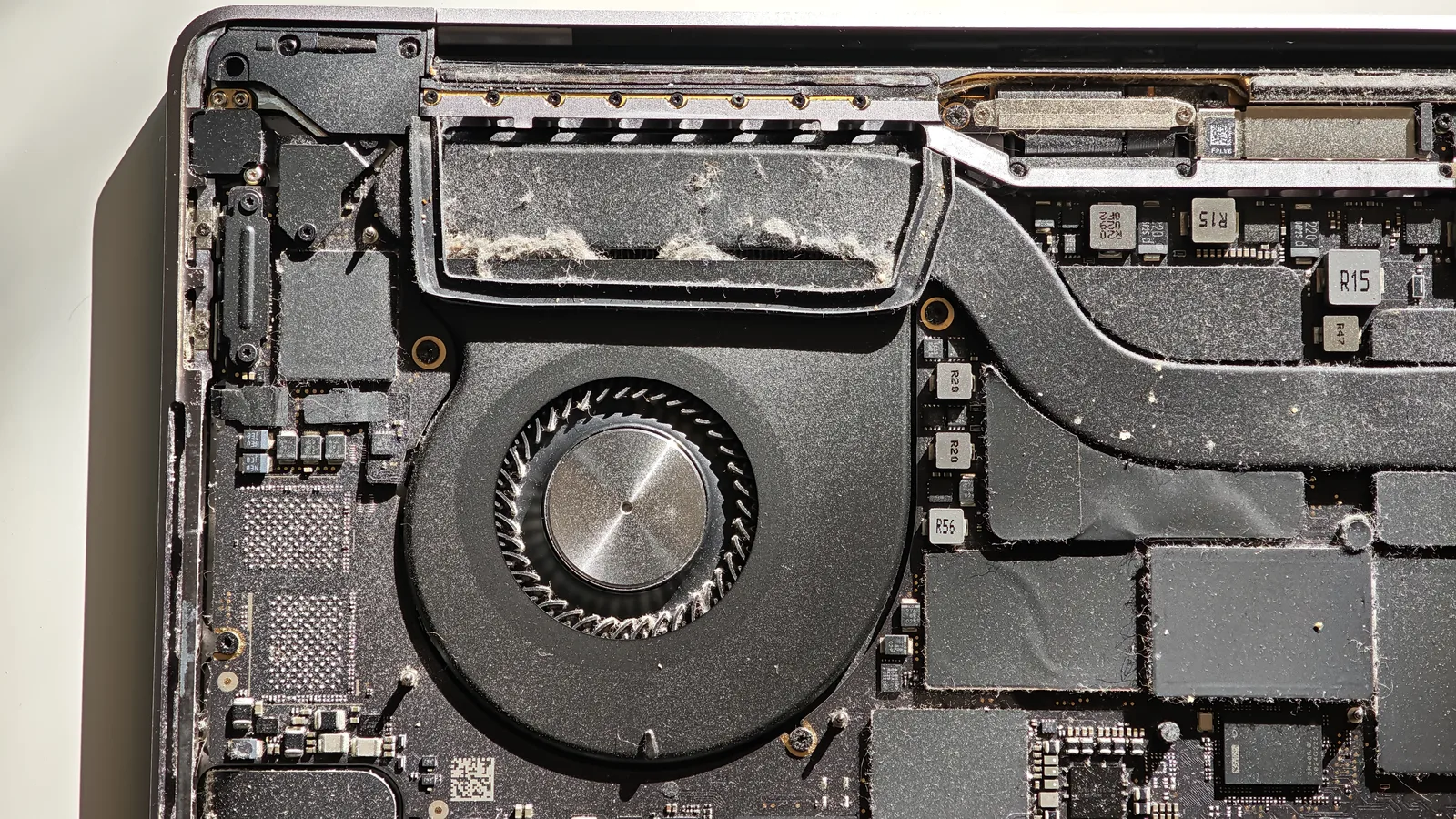
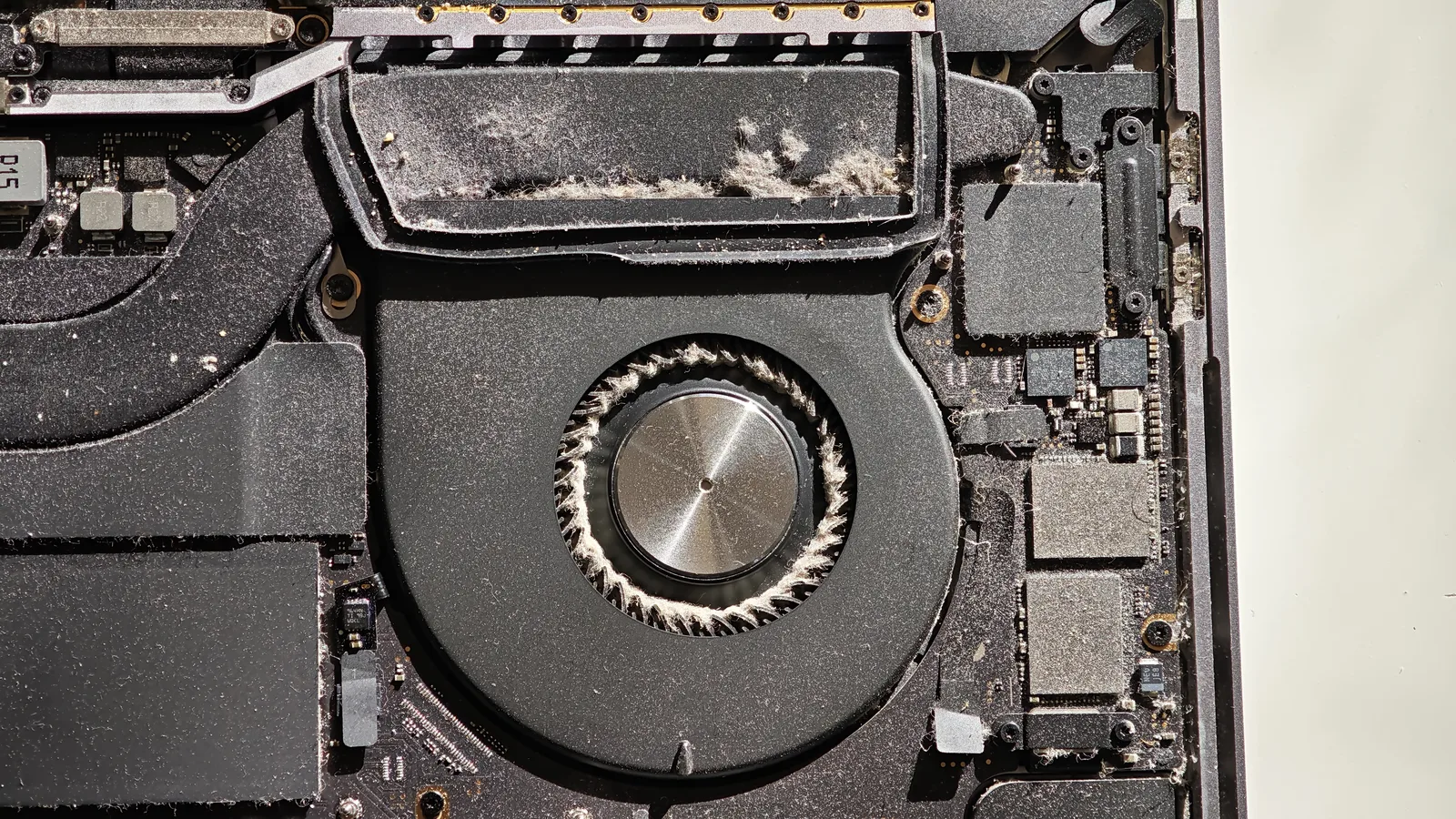
The second: 98% humidity
At 98% humidity, the air is practically saturated with water. When the laptop moves from an air-conditioned room into the humid heat outside, water can condense on the cool components inside. The built-up dust absorbs that moisture and becomes a layer that conducts current where it shouldn’t.
The result shows under the microscope: corrosion on components and contact pads, residue and greenish traces of oxidation. A laptop that had never been wet looked, on the board, like one that had been in contact with liquid.
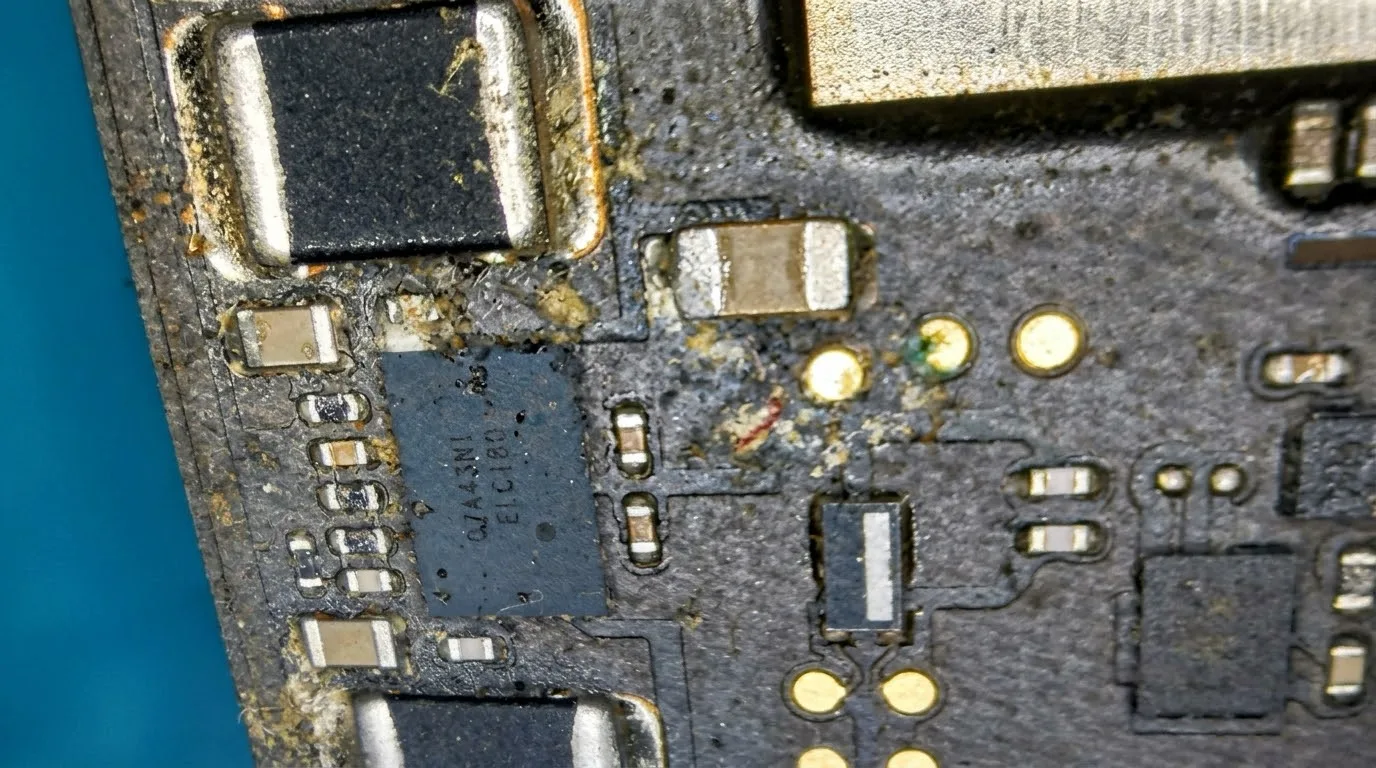
The short circuit and the burn on the SSD
The combination of dust, moisture and corrosion caused a power circuit on the logic board to short. Voltage reached where it shouldn’t: the NAND memory, the chips that make up the SSD.
Memory chips run at low voltages and can’t withstand that kind of shock. The black spot in the photo is the burn, right on the NAND chip.
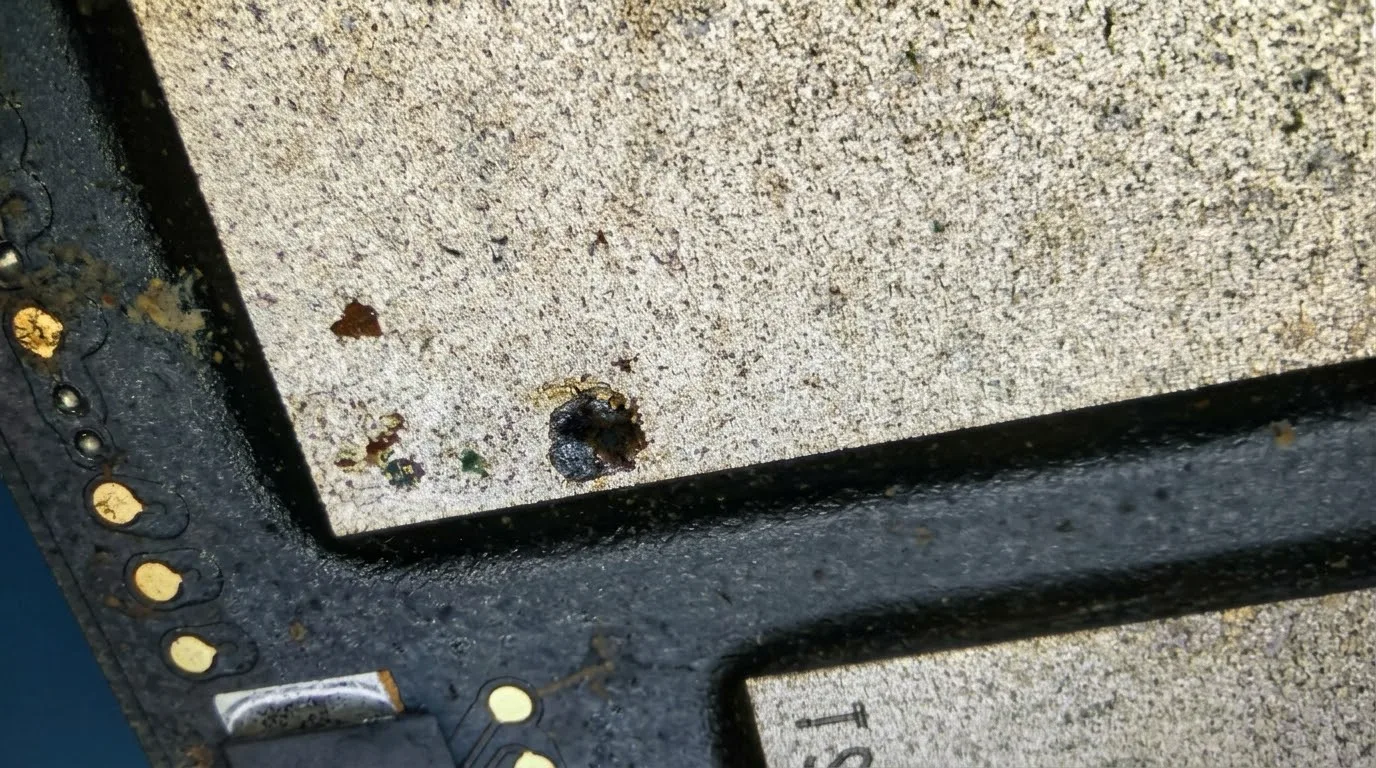
Why it matters on the A2141: the SSD isn’t a separate part you can remove and move to another laptop. The NAND memory is soldered directly to the logic board, and the data is encrypted by the T2 security chip. When a NAND chip burns, the data on it, in most cases, can no longer be recovered. The only real protection is a backup made in advance.
How to prevent this
Internal clean every 1-2 years
More often if you have pets, work in dust or use the laptop on a bed. A clean laptop cools better and doesn’t build up a layer that holds moisture.
Care in humid climates
Don’t leave it in damp rooms and don’t take it straight from air conditioning into the heat outside. Let it acclimatise in its bag before switching it on.
A bag with moisture absorbers
A few silica gel sachets in your laptop bag go a long way on trips to tropical areas.
Back up before you leave
Time Machine to an external drive or iCloud. On Macs with an SSD soldered to the board, a backup is the only safety net for your data.
Back from a trip and your laptop is acting up?
Running hotter, shutting down on its own or not turning on? Don’t force it, bring it in for diagnostics. The earlier we catch corrosion, the better the chances it doesn’t reach vital components like the memory.


