
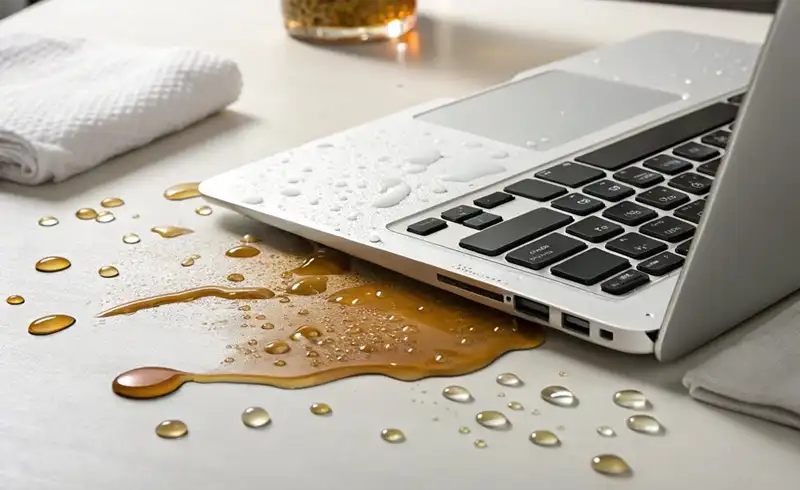
The first 5 steps — in the first 60 seconds
Order matters. If you're reading this now with your MacBook on the table next to you and a puddle of liquid, follow these steps in sequence. Each step reduces damage. Skipping steps = increased risk.
Power down the MacBook IMMEDIATELY — long press on Power
Don't save anything, don't close apps. Hold the Power button for 8-10 seconds, until it shuts down completely. Electric current flowing through the board in the presence of liquid = short circuits and accelerated corrosion. Every extra second of operation = more permanent damage.
Disconnect the charger and any peripherals
Remove the USB-C / MagSafe cable, dongles, USBs, headphones. External sources continue to supply current to the board even after shutdown. On MagSafe models — physically detach it, not just from the wall.
Flip the MacBook screen-down in "tent" shape
Place it on a dry surface with the keyboard facing down, opened to 90-100° (letter A shape). This allows the liquid to drain OUTSIDE through the ventilation holes and keyboard, not towards the logic board. Leave it like that for at least 10-15 minutes before any other action.
Wipe what you can see on the exterior with a dry microfibre cloth
Keyboard, palmrest, screen, ports. Only the exterior surfaces. DO NOT stick napkins in USB-C ports, DO NOT use paper towels (they leave lint), DO NOT blow with a hairdryer (pushes the liquid deeper).
Call us in the first 30 minutes
Corrosion on the logic board starts within 30-60 minutes of liquid contact. The difference between "brought within the first hour" and "brought the next day" is the difference between a simple ultrasonic cleaning and a board repair, or between MacBook recovered and MacBook lost forever. Call 0739.795.800 even if the MacBook "seems to work".
What you must NEVER do
The list below is full of "forum advice" we've seen destroying MacBooks that would otherwise have been easily recoverable. Read them and avoid them regardless of what your friend says.
Don't put the MacBook in rice
The rice myth is false and harmful. Rice only absorbs SURFACE humidity, but liquid already on the board doesn't evaporate. Worse, rice grains get into ports and fans. It solves nothing, just gives you false confidence that you "did something" and you lose the critical hours.
DO NOT turn the MacBook on "just to check if it works"
The most common fatal mistake. Many people spill water, wipe, wait an hour, then try to power on to see "if it still works". If the liquid hasn't fully evaporated from the board (and it doesn't evaporate in 1-2 hours), powering on creates irreversible short circuits. Transistors and capacitors that were OK before become impossible to replace after a bad boot.
DO NOT use a hairdryer
Hot air pushes liquid deeper inside and distributes it onto components that were previously dry. Plus the high temperature can damage the battery or insulator plastic. The only correct drying method is at room temperature + minimal airflow, or professionally — in a drying oven at 40-50°C with ventilation.
DO NOT disassemble the MacBook yourself
On modern models (M-series) the battery is glued with strong adhesive and is easy to puncture. A punctured lithium-ion battery = real fire risk. Plus for professional cleaning you need an ultrasonic bath with specific solution, not a brush with isopropyl.
DO NOT wait "to see if it dries on its own"
Corrosion on copper/gold contacts doesn't stop when the water evaporates. Residues from sugary liquids (juice, coffee, wine, beer) continue to attack the board even when dry. If you wait a week to see "if it still turns on", recovery odds drop from 90% to under 30%.
Why time is CRITICAL — corrosion in real time
The MacBook doesn't "die" the moment you spill liquid. It dies in the hours/days that follow, through electrochemical corrosion. The process is simple: the liquid (especially if it contains salts or sugar) creates a conductive path between metal pads on the board. Residual current from the battery flows on this path and decomposes the metal through electrolysis. Copper becomes green copper oxide, tin solder becomes whitish and brittle.
- 0-30 min: liquid contamination, but no permanent damage if the MacBook is off;
- 30-60 min: oxidation begins on exposed contacts, especially on solder without protective mask;
- 1-6 hours: microscope-visible corrosion on active components. The device may still appear functional if powered on;
- 6-24 hours: permanent conductive bridges between components, latent short circuits. Even if it works, defects appear at 1-7 days;
- 1-7 days: advanced corrosion — components failing one after another, until complete board death.
Liquid types and their severity
Not all liquids are equal. Still water is the mildest scenario, sweet juices are the dangerous category, and sea water is almost a sentence. The table below shows what to expect based on what you spilled.
| Liquid | Severity | Recovery chance* |
|---|---|---|
| Still / mineral water | Low-Medium | 85-95% |
| Coffee / tea (no sugar) | Medium | 70-85% |
| Juices / sweetened drinks | High | 50-75% |
| Wine / alcohol | High | 40-70% |
| Sea water / salt | Critical | 20-50% |
| Milk / soup / sauces | Critical | 20-45% |
*Percentages are for intervention in the first 24 hours after the incident. After 48-72 hours, odds drop 20-40 percentage points in each category.
What you can try at home (after the first 5 steps)
If for objective reasons you can't reach us immediately (it's weekend, you're in another city, etc.), you can do a few things to slow down the damage. Caution: this does NOT replace service, only precedes it.
- Leave the MacBook in "tent" position for 48-72 hours in a dry room, at 20-25°C. No direct heat, no strong sunlight. Reposition gently once a day for drainage;
- Don't use rice, silica gel packets or other "absorbers" — they don't make much difference for liquid already on the board, but they can get into ports and complicate subsequent cleaning;
- Don't try to charge the battery. Even without powering on the MacBook, connecting the charger sends current through the board;
- Back up important data IF the MacBook had been used and still powers on. Time Machine on external or iCloud sync. Then turn it off and don't turn it on again;
- Write down the exact time of the incident and the type of liquid. At the shop, this info helps us prioritise and evaluate severity.
What we do in a professional intervention
Standard procedure for any MacBook contaminated with liquid (Air or Pro, Intel or Apple Silicon):
Initial visual and electrical diagnostic
Full disassembly, battery removal, microscope evaluation of every area affected by liquid. We identify corrosion points, visible short circuits, burnt components. Before/after photos are saved in your service file.
Ultrasonic cleaning bath with specialised solution
The board goes into an ultrasonic bath with PCB cleaning solution at 40-45°C, 15-20 minutes. Microscopic vibrations (40 kHz) loosen liquid residues from spaces between components — places no brush can reach. It's the industry-standard procedure for any liquid damage.
Spot decorrosion
Under the microscope, we identify where corrosion has attacked the solder. We treat with 99.9% isopropyl and decorrosion solution, followed by re-soldering if needed. On heavily affected components (resistors, capacitors, connectors) — direct replacement with original parts.
Controlled drying
The board stays 4-8 hours in a drying oven at 45-50°C with ventilation, until residual moisture is under 1%. This is the difference between "looks dry" and "truly dry at molecular level".
Full functional test and reassembly
Initially — test on the free board (without reassembly), with lab power supply limited to low current. We check consumption, signals, boot. Then reassembly with new thermal pads where contaminated, and final 30-min test: keyboard, trackpad, ports, camera, microphone, Wi-Fi, Bluetooth.
✓ Ultrasonic cleaning from 500 RON (older Intel) up to 1000 RON (MacBook Pro M3/M4/M5 14"/16"), VAT included. Exact price for your model in the price list.
✓ Logic board repair (if needed, after cleaning): from 720 RON.
✓ Written quote before we continue if we find additional damage.
✓ Intervention 24-48h in standard cases.
Realities about what can be saved
To set your expectations correctly — not every liquid-contaminated MacBook is recoverable. The decision depends on a combination of factors:
- Time since incident: under 1 hour = maximum odds, over 72 hours = significant drop;
- Type of liquid: clean water is mild, juice/wine/sea water are destructive;
- Was it powered on in the meantime? If YES and it short-circuited, many components are physically burnt — irrecoverable without chip replacement;
- Model: on Apple Silicon, if the SoC is burnt — the board is fully lost. On older Intel, many components can be replaced individually;
- Amount of liquid: a few drops on the keyboard = local damage. Full glass on open MacBook = total contamination.
In the most severe cases, when the repair would cost more than the MacBook's value, we recommend you read our repair vs. buy decision guide. We also have the option of SSD extraction for data recovery (older Intel models with modular SSD).