
In short
- 1. Worth it for most — speed + security, even on older phones.
- 2. iPhone 11 and later (plus SE 2/3) get iOS 27; XR, XS, X and older don’t.
- 3. Apple Intelligence / new Siri only on iPhone 15 Pro and 16 or later.
- 4. Heat and drain in the first 2–3 days = normal (reindexing), not a fault.
Before you update: 4 steps
- • Back up to iCloud or a computer (essential).
- • Free space: the download is ~6–9 GB, ideally have 15–20 GB.
- • Charge + stable Wi-Fi throughout.
- • Install: Settings → General → Software Update.
Compatibility: who gets iOS 27 and who doesn’t
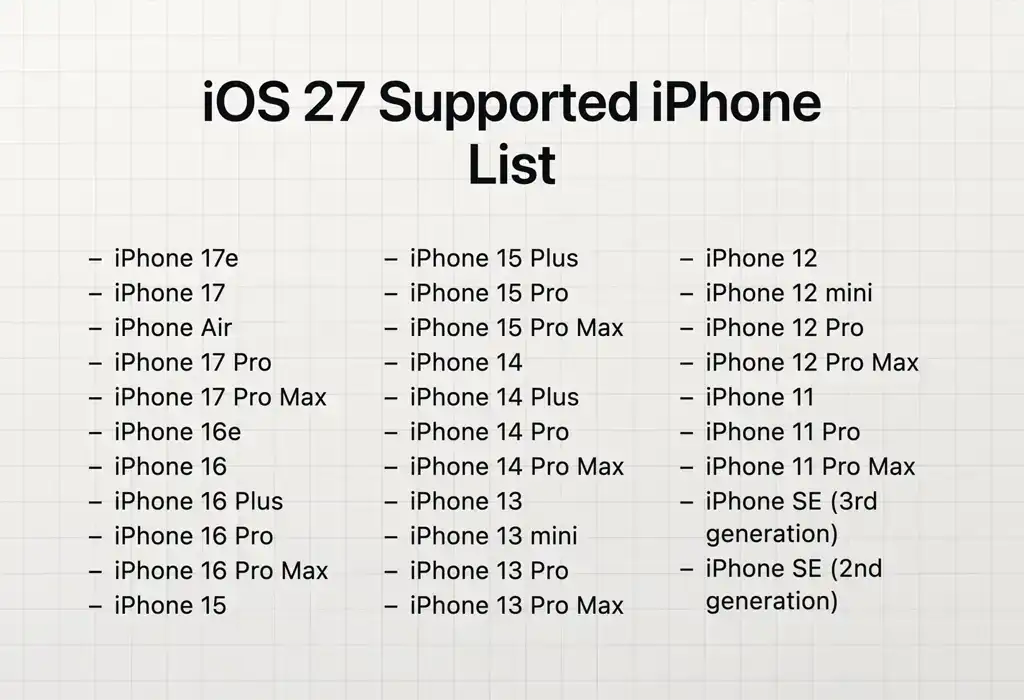
Alongside the new iPhone 18 Pro, Pro Max and Duo, iOS 27 keeps exactly the same older models as iOS 26 — Apple didn’t drop any of them from support this year. The dividing line stays at iPhone 11: from there up you get the update, below it you don’t.
✅ Get iOS 27
- • iPhone 18 Pro Max, 18 Pro, iPhone Duo
- • iPhone 17 Pro Max, 17 Pro, iPhone Air, 17, 17e
- • iPhone 16 Pro Max, 16 Pro, 16 Plus, 16, 16e
- • iPhone 15 Pro Max, 15 Pro, 15 Plus, 15
- • iPhone 14 Pro Max, 14 Pro, 14 Plus, 14
- • iPhone 13 Pro Max, 13 Pro, 13, 13 mini
- • iPhone 12 Pro Max, 12 Pro, 12, 12 mini
- • iPhone 11 Pro Max, 11 Pro, 11
- • iPhone SE (2nd gen, 2020) and SE (3rd gen, 2022)
🚫 Stay on iOS 26
- • iPhone XS, XS Max, XR
- • iPhone X
- • iPhone 8 and 8 Plus
- • iPhone 7 and older
- • iPhone SE (1st gen, 2016)
For these models, iOS 26 is the last version. The phone keeps working, but without new features and, over time, without security updates.
Heads-up: not every feature reaches every iPhone
It’s the most common confusion: „I updated, but I don’t have the new Siri”. Apple Intelligence features (the new AI Siri, writing tools, expanded Visual Intelligence) require a more powerful iPhone — specifically iPhone 15 Pro / 15 Pro Max or iPhone 16 and later.
An iPhone 11, 12, 13, 14 (and the regular 15 / 15 Plus) gets everything else: the new design, the speed, the rebuilt search and parental controls — but not the AI part. It isn’t a fault and no setting fixes it; it’s simply hardware.
What’s new in iOS 27
Refined Liquid Glass
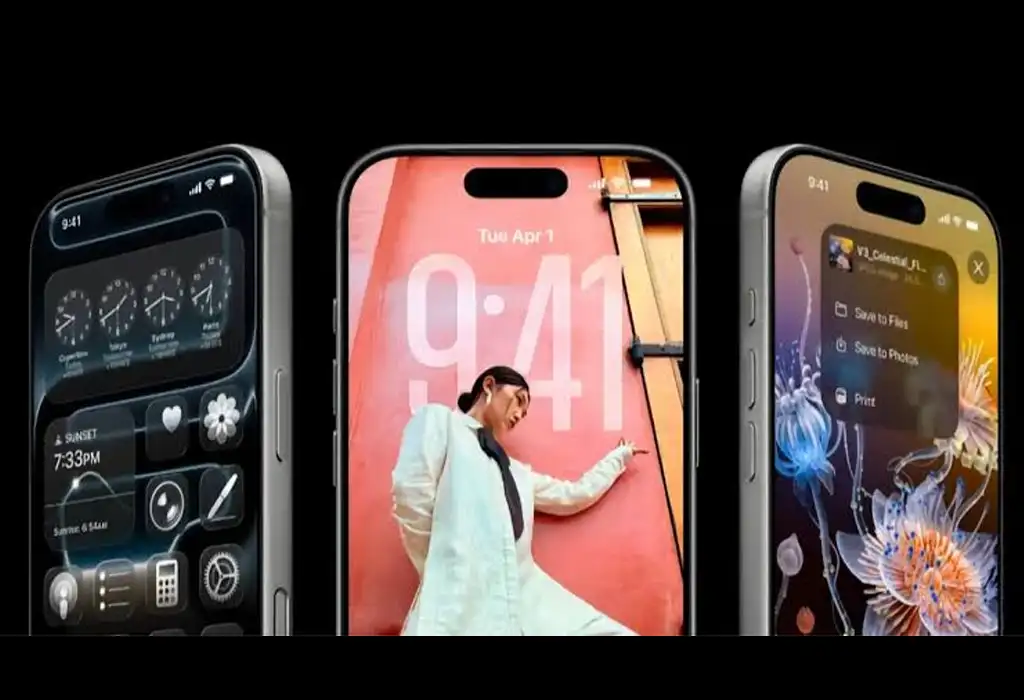
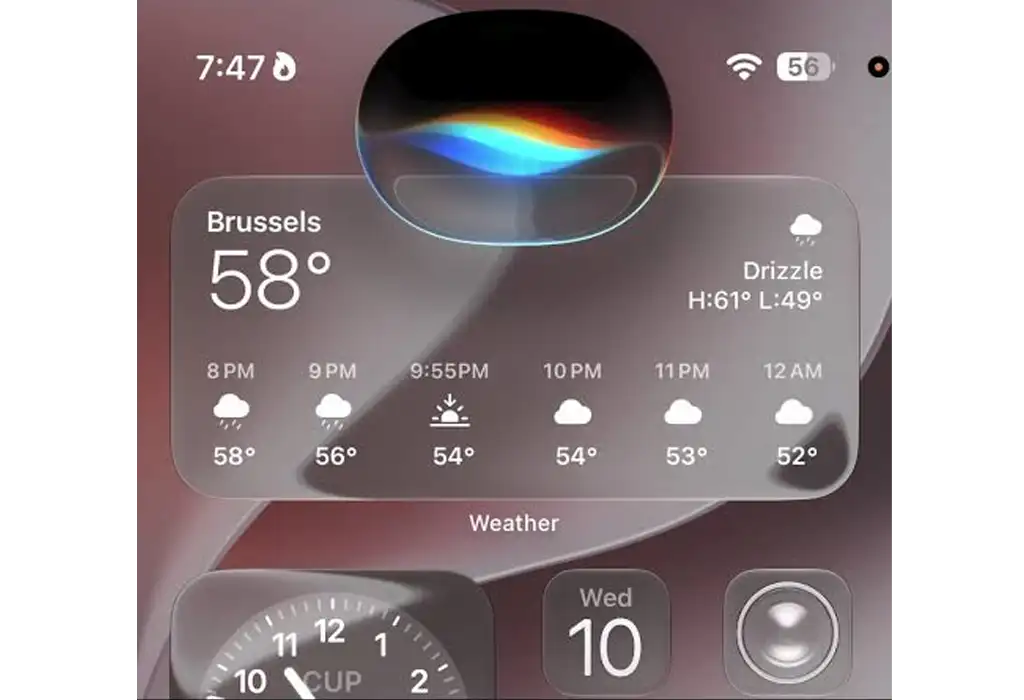
Last year’s „glassy” design is now more readable, with better contrast and a slider to choose how transparent or tinted it looks — from ultra-clear to fully coloured.
Redesigned Siri (newer models)
A generative-AI Siri (Apple models + Google Gemini), a dedicated app for conversations, personal context and actions across apps. Requires Apple Intelligence.
Speed everywhere
Apps launch up to 30% faster, with smoother animations and fewer stutters. The optimisations go back to the iPhone 11.
Redesigned parental controls
Easier to use: Ask to Buy, Ask to Browse, contact approvals, Time Allowances and schedules — see at a glance how your child uses the phone.
Visual Intelligence & apps
The camera analyses scenes and objects, while Photos, Safari, Wallet (with Insights) and Shortcuts get smarter.
Security
Like any major release, iOS 27 brings important security fixes — a good reason to update even if the rest doesn’t impress you.
On the security side, iOS 27 also changes how the phone locks: iOS 27 — 3 new iPhone locking systems (useful especially if you buy a second-hand phone).
So — is it worth updating?
For most people, yes. Unlike the years when updates slowed older phones, iOS 27 actually speeds them up and fixes the fluidity problems from iOS 26. Add the security patches and the balance clearly tips toward „install”. Three scenarios:
iPhone 15 Pro / 16 / 17 / 18
Update without worries — you get everything, including Apple Intelligence and the new Siri.
A healthy iPhone 11–14
Worth it: speed + security. You only miss the AI part. Back up first.
Worn phone / weak battery
The update can’t beat hardware limits. A genuine battery first, then the update — otherwise it may „hiccup”.
Tip from the workshop: if your phone already has a weak battery (sudden drops, shuts off in the cold, shows below 80% capacity), a big update will expose that even more in the first days. On older models, a properly fitted genuine battery often does more than any update — and the combo of a new battery + iOS 27 can bring back that new-phone feeling. We check your battery health for free if you repair with us.
What’s being reported in the first 24 hours
A day after launch, most complaints aren’t about the battery but about connectivity. These are early-adopter reports, not universal problems — but worth knowing before you update. They usually get fixed by a carrier-settings update or a first .1 release (just like iOS 26.0.1, which fixed a similar eSIM/signal issue).
📶 Weak signal or „No Service” / „No SIM”
The most common one right now — and not just locally: it’s reported across several countries (including Apple communities in Romania and forums in the US), especially on dual-SIM and eSIM, where the signal drops alternately from one line to the other. During the update, the carrier profile and eSIM can reset, so the phone „loses” the network or picks up a weak signal. It’s almost certainly software: Apple fixed exactly this kind of bug with iOS 26.0.1. What to do: update carrier settings (Settings → General → About — if it appears, tap „Update”); turn Airplane Mode on for 30 seconds then off; in Settings → Cellular check that the (eSIM) line is on and Network Selection is Automatic. If it doesn’t come back, reset network settings. For persistent cases, wait for a .1 update or drop by our shop.
🚗 Wireless CarPlay disconnecting
Many report repeated disconnects while driving (sometimes several times per trip), navigation apps crashing or loading slowly. It ties into the same Wi-Fi/Bluetooth layer. What to do: forget the device in Settings → General → CarPlay and re-pair it; restart the phone; until a fix, use CarPlay over a cable.
📡 Unstable Wi-Fi and Bluetooth
Wi-Fi disconnects, failed Bluetooth pairings, flaky AirDrop. What to do: resetting network settings (Settings → General → Transfer or Reset iPhone → Reset → Reset Network Settings) usually fixes it — it asks for your Wi-Fi passwords again but doesn’t erase data.
Common problems after updating — and fixes
Nervous about updating? We’re here
If the phone gets stuck, loses serious battery life, or you want a genuine battery before updating, drop by or message us on WhatsApp. We check the phone’s real condition, tell you honestly whether it’s still worth the investment, and do everything with proper parts and procedures — no surprises.
Radical Service — services and guides
Sources: Apple — iOS 27, MacRumors (iOS 27 features), MacRumors (compatibility), Macworld (performance on older models), AOL/Yahoo (iOS 26.0.1 precedent — signal bug fixed). Signal reports are confirmed by users across several countries; troubleshooting tips are indicative, and for persistent problems have the phone checked at a service.